How to build an online store: 10 steps from idea to first order
The steps in the right order for an online store: product and margin, company, platform, theme, catalogue, payments, delivery, legal, tracking and the test before launch.
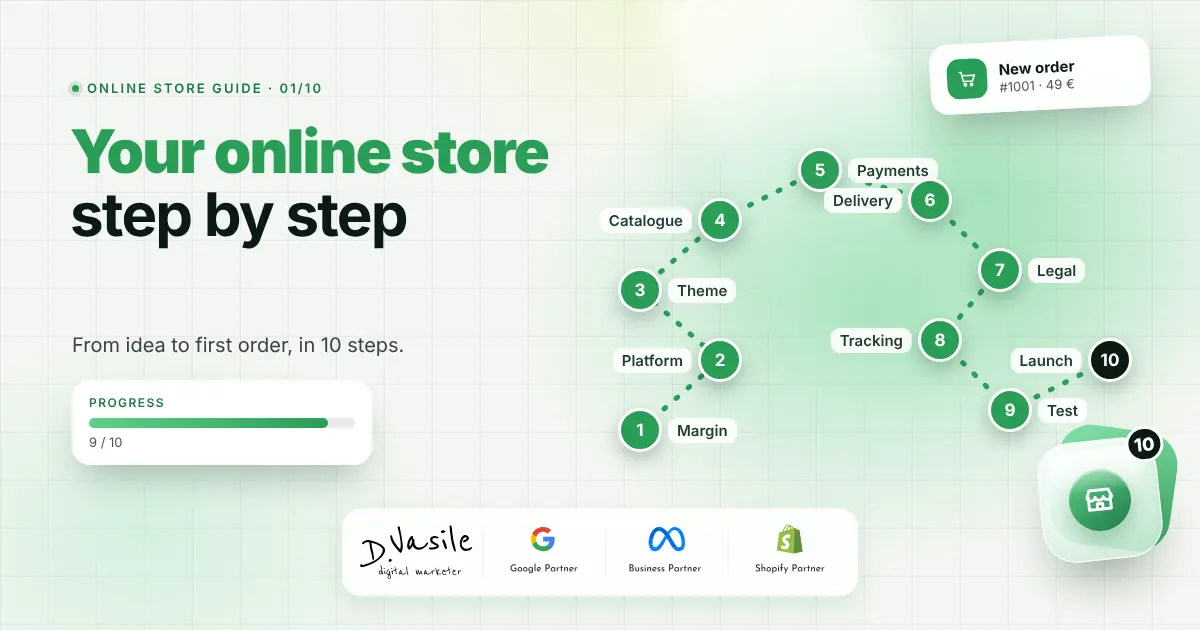
An online store doesn't start with the theme or the logo. It starts with a product you can sell at a profit and with the shortest possible path from ad to order. Below are the steps in the order I go through them with my clients, from idea to the first real order. It's also the first article in a series about building an online store: in the next ones I go into detail on each important feature.
1. Product, customer and margin
Before spending anything, write down three things: what you sell, who buys it and how much is left after the product, shipping, payment fees, returns and ads. If your contribution margin is below 25 or 30%, ads will be hard to sustain. I explained the calculation in the article on contribution margin vs ROAS.
2. Company, bank account and domain
You need a registered business, a bank account for payments and a short domain that's easy to type. Buy the domain in your company's name, not in the name of whoever builds your site.
3. The platform
For most small and medium stores, the choice is between WooCommerce, Shopify and a local platform. WooCommerce has no monthly fee and gives you full control, Shopify is simpler to maintain, and local platforms come with ready integrations for local couriers. I compared the three in Shopify, WooCommerce or MerchantPro.
4. Theme and design
The theme decides how the store looks, but also how fast it loads. You can start from a customised premium theme or build one from scratch. The differences in cost and outcome are big, so I cover them separately in the next article of the series.
5. The catalogue
- Few, clear categories, the way customers search, not the way the warehouse is organised.
- Correct variants: colour and size as attributes, with separate stock for each variant.
- Good photos, with the same background and the same light. I wrote about it in product photography that sells.
- Descriptions that answer questions: material, dimensions, care, what's in the parcel.
6. Payment and delivery
Offer card payment and bank transfer, plus the local methods your customers expect: cash on delivery still brings a large share of orders in Romania, while in Denmark MobilePay is almost a must. Show the shipping cost before the cart, set a free shipping threshold above your average order value and display the estimated delivery date right on the product.
7. Legal and invoicing
- Terms and conditions, privacy and cookie policy, a 14-day return policy.
- Your company details visible in the footer, plus the consumer protection information required in your country.
- Automatic invoicing connected to your accounting or e-invoicing system.
- A cookie banner that actually blocks tracking until consent.
8. Measurement
Install GA4, the Meta pixel and Google Ads conversions before launch, not after the first campaign. Use Consent Mode v2 and, as your ad budget grows, server-side tracking.
9. The full test
Place test orders on mobile and desktop, with every payment and delivery method. Check the emails received, the invoice, the stock going down and the conversion showing up in reports. Only then do you start the ads.
10. Launch and the first 30 days
Start with a small budget on the products with the best margin and check daily where customers stop: on the product, in the cart or at checkout. The first 30 days tell you more than any plan made beforehand.
How I work
When I build a store, I start from the steps above and only then move to design. I use WooCommerce with a fast theme, written mainly in PHP and CSS, and add only the features that bring sales: delivery date on the product, reviews with photos, stock alerts, gift cards, returns from the customer account. I explain each of them in the next articles.
The whole series
- Premium or custom WooCommerce theme: what to choose and what it costs
- The WooCommerce product page: variants, stock and recommendations that sell
- Cart and checkout: how to stop losing customers at the end
- Filters, search and product lists: the customer at the product in three clicks
- Reviews with photos and "Verified customer": social proof that sells
- Stock alerts, favourites and abandoned cart: how to bring customers back
- Digital gift cards in your online store: how to sell them without hassle
- The online fashion store: size guide, exchanges on returns and lookbook
- A fast, measurable, multilingual online store: the foundation for growth
Check yourself
Frequently asked questions
Conclusion
A good online store is, in this order: a product with margin, a ready company, the right platform, a clear catalogue, payment and delivery without surprises, legal in order and correct tracking. Design matters, but it comes after. If you'd like to build your store together, see the web development page or write to me via contact.
Free check: find out in 5 minutes how much budget you're losing in Google Ads and Meta Ads. Answer 15 questions and get a score and a list of things to fix. Take the free check.