Google AI Mode and AI Overviews: what changes for webshops
What AI Mode and AI Overviews are, where they get products from, what changes for your traffic and sales in Denmark, and a concrete 30-day plan with an interactive check.
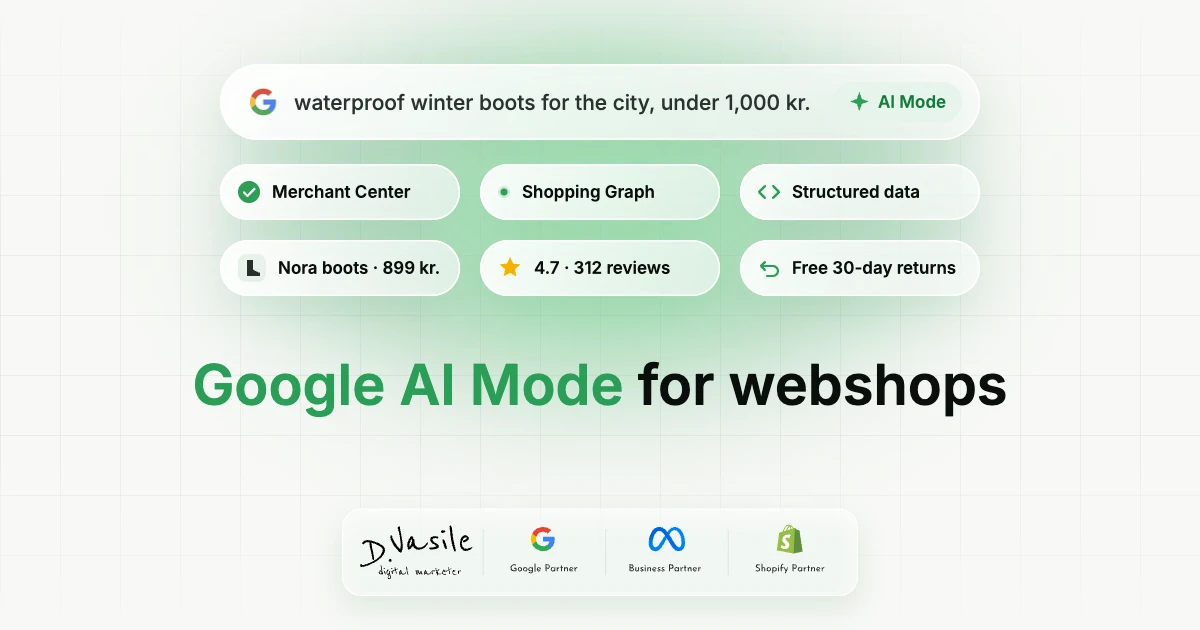
Until recently, a Google search for "waterproof winter boots for women" meant ten blue links, a few Shopping ads and a customer opening three or four webshops in separate tabs. In 2026, more and more searches like this end in an AI-generated answer that compares products, explains the differences and recommends a handful of options. The customer reaches your website less often, but when they do, they are much closer to buying.
In this article I explain what AI Overviews and AI Mode are, what concretely changes for a webshop selling in Denmark, what data Google uses to choose the products it recommends and what you can do in the next 30 days. There is an interactive check halfway through so you can test your own product pages. Examples use DKK.
AI Overviews and AI Mode: the difference
AI Overviews are AI-generated summaries that appear above the regular results for some searches. The results page stays the same, except the first thing the customer sees is a written answer with a few cited sources.
AI Mode is a separate search mode with its own tab in Google. It works like a conversation: the customer asks a long question, gets a detailed answer and can then follow up with more questions without starting over. AI Mode has been available in Denmark, in Danish, since autumn 2025, and is now live in more than 200 countries.
The key difference for a webshop: in AI Overviews, the customer still sees the classic results underneath. In AI Mode, most of the time they don't see them at all. Everything they learn about your product comes from what the AI chose to include in its answer.
What a shopping search looks like in AI Mode
Let's take a concrete example. A customer in Aarhus types into AI Mode:
"I'm looking for waterproof winter boots for women, for the city, that don't slip on ice, under 1,000 kr., size 38."
Google doesn't search for that exact sentence. It splits it into several smaller searches, a process called query fan-out: what waterproof means for footwear, which sole types grip on ice, which city boots exist in this budget, which shops have size 38 in stock. Then it combines the results into one answer.
A typical answer has three parts:
- An explanation of what to look for: waterproof membrane, rubber sole with deep tread, thermal lining.
- A few products with image, price, rating and shop, taken from the Shopping Graph, Google's database of products and offers, fed largely by Merchant Center feeds.
- Links to sources: guides, comparisons and product pages that explained something well.
Then the customer continues: "Which of them have free returns?" or "Which is lightest?". Every new question filters further. If your page doesn't have the information about returns or weight, your product drops out of the conversation, even if it was a good fit.
What concretely changes for webshops
1. Fewer clicks on informational searches
Searches like "how to choose a mattress" or "what's the difference between cotton and linen" are now covered by the AI answer. If your blog drew traffic from questions like these, you will probably see more impressions in Search Console and fewer clicks. That doesn't mean the content no longer matters. It means its role shifts: from a traffic source to a source of information for the AI and of trust for the customer.
2. Fewer products shown, so more competition for each spot
A classic Shopping results page can show dozens of products. An AI Mode answer usually shows a few. An analysis published by Productrise found AI Mode shows far fewer product listings than classic results. Being in position 15 in Shopping still brought you a few sales. In AI Mode, if you aren't among the first products chosen, you practically don't exist for that customer.
3. Customers stay in Google longer
A study widely cited in 2026 found that in about three quarters of AI Mode sessions, users don't click on any website. They do their research, compare, decide and only then go straight to the chosen shop, often by searching for it by name. The sale may start in AI Mode, but in your reports it shows up as direct traffic or a branded search.
4. Buying directly in Google, for now only in the US
In January 2026, Google announced the Universal Commerce Protocol and the ability to buy directly from AI Mode and Gemini without visiting the shop's website. Since September 2026, US Shopify stores have been enrolled in this checkout automatically, and October brought Universal Cart, a shared cart for products from several shops. All of this currently works only in the US. For a Danish webshop there is nothing to switch on yet, but the direction is clear: in a few years, part of your orders may be placed without the customer ever seeing your product page.
5. Feed data becomes more important than page design
When the AI chooses products, it doesn't care how nice your banner is. It reads the title, description, attributes, price, availability, return policy and reviews. A complete, accurate feed is worth more than a stunning product page with no information on it.
What doesn't change
Before you rewrite your whole site, it's worth saying what stays the same. Google still uses the same basic signals: fast pages, useful content, correct data and shops people trust. Everything you did well for SEO and Google Shopping helps you in AI Mode too. The difference is that small mistakes, like a missing attribute or a mismatched price, now cost you more.
Practical example: the same product page, before and after
Let's take a footwear webshop in Odense and one of its boots. Here's how the page looked and what we would change to give the AI something to work with.
Product page, original version Title Nora boots black Description Elegant boots, perfect for the cold season. Superior quality. Attributes Size, colour Reviews 4.6 stars, no text Shipping and returns Only on the terms page Product page, optimised version Title Nora women's waterproof winter boots, leather, anti-slip sole, black Description Who they're for, the waterproof membrane, the 6 mm rubber tread tested on ice, wool lining, weight of 540 g per pair, how to care for them Attributes Size, colour, material, sole type, lining, shaft height, waterproof yes/no FAQ Do they fit wide feet? Can they be worn at -15°C? Do they stretch over time? Reviews 4.6 stars with text, including on size and comfort Shipping and returns Delivery to a parcel shop in 1-2 days, free 30-day returns, shown next to the buy buttonNow think about the customer's questions from the example above. "Won't they slip on ice?" is answered in the description. "Free returns?" is next to the button. "Are they light?" has a number. Every follow-up question the customer asks in AI Mode now has an answer on your page, so your product stays in the conversation.
I wrote more about the structure of a convincing page in the checklist for a product page that sells.
Test your product page
Pick your best-selling product, open its page and tick what it already has. The score shows you where to start.
Your Merchant Center feed: the main source for products
When AI Mode shows products, they come from the Shopping Graph, and for your webshop the main source is your Google Merchant Center feed. This also works for shops that don't run ads, through free listings. Here is what's worth checking:
- Titles should contain the product type, brand and the most important attribute. "Nora boots" says nothing. "Nora women's waterproof winter boots, leather" already answers half the question.
- Descriptions in the feed are often truncated or copied from the supplier. Use the full, unique description from your site.
- Optional attributes matter more than you think: material , pattern , size_type , age_group , product_detail and product_highlight . The last two let you send structured features, exactly the kind of information the AI uses in comparisons.
- GTIN helps Google link your product to the same offer in other shops. Without it, your product is harder to compare and chosen less often.
- Shipping and returns should be set up in your Merchant Center account, not only written on your site. That way they appear right next to the product.
- Price and stock must match your site exactly. A wrong price leads to disapproved products and lost trust.
The most common problems I find in audits are collected in the article on Google Merchant Center feed mistakes.
Structured data on the product page
The feed is for Merchant Center; structured data is for the crawler. Every product page should have Product markup with:
- Offer , with price, currency (DKK) and availability;
- AggregateRating and a few Review items, if you have real reviews;
- OfferShippingDetails , with shipping cost and delivery time;
- MerchantReturnPolicy , with the number of days and the cost of returns;
- identifiers: gtin , sku , brand .
Most platforms (Shopify, WooCommerce with a good plugin, DanDomain) generate some of these automatically. Check the page in Google's Rich Results Test and see what's missing. Shipping and returns are missing almost every time.
Content that answers questions, not just keywords
AI Mode answers long, very specific questions. To be the source of those answers, you need content that covers them:
- Buying guides for your main categories: "How to choose winter boots: waterproof, lined, anti-slip".
- Honest comparisons between products or product types, including when a cheaper option is enough.
- Detailed size guides, with advice for wide or narrow feet. They are among the most read pages in a fashion webshop.
- FAQs on category and product pages, written from what customers ask you by email, phone or chat.
Category pages are often ignored. A short, useful text above or below the product grid helps both classic SEO and AI. I explain how in the article on category page SEO.
Mentions outside your website
When AI recommends a shop, it also relies on what others say about it: press articles, blog comparisons, forum and Reddit discussions, reviews on Google and review platforms like Trustpilot. A shop nobody mentions is harder to recommend, even if its pages are perfect.
A few concrete things you can do:
- Ask for reviews on your Google Business Profile and on the product page after every delivery, with an automated email.
- Send products to bloggers or creators who make real comparisons, not just sponsored posts.
- Answer questions in forums and Facebook groups in your niche as an expert, not as an ad.
- Make sure your shop name, address and contact details are identical everywhere, including your CVR number.
I wrote a separate guide on how to get recommended by ChatGPT, Gemini and Perplexity: your webshop in AI answers.
How to measure the impact
The most frustrating part of AI Mode is that you don't get a separate report. AI Mode data is included in Search Console's web search performance report, but you can't filter it out. The AI performance report in Merchant Center currently exists only for a few English-speaking markets, including the US, Canada and Australia. So you work with indirect indicators:
- Click-to-impression ratio in Search Console for informational searches. If impressions rise and clicks fall, AI Overviews are taking your traffic.
- Branded searches in Search Console and Google Trends. If people hear about you through AI, they will then search for your shop by name.
- Direct traffic in GA4, compared with the same period last year.
- "Where did you hear about us?" on the thank-you page after an order. It's the simplest method and often the most accurate.
For GA4 data to be reliable, you need correct tracking. If in doubt, read the article on server-side tracking for webshops.
What about ads?
Google shows ads in both AI Overviews and AI Mode, but the rollout happens gradually by market and language. You can't create an "AI Mode only" campaign. Ads get there from your existing campaigns, especially Performance Max, Shopping and Search campaigns with AI Max switched on. If you want to be ready, the best starting points are the guide to Performance Max for webshops and the article on AI Max for Google Search Ads.
A 30-day plan
Week 1: the feed What to do Fix all errors and warnings in Merchant Center 1-2 days Rewrite titles for your top 50 products 2 days Set up shipping and returns in Merchant Center 1 hour Week 2: product pages What to do Complete descriptions for your top 20 products 3 days Add FAQs to each of them 1 day Check structured data in Rich Results Test 2 hours Week 3: content What to do Write a buying guide for your main category 2 days Add useful text to your top 5 categories 2 days Week 4: trust and measurement What to do Start the automated review request email 1 day Add "Where did you hear about us?" after checkout 2 hours Record clicks, impressions and branded searches as a baseline 1 hourAfter 30 days you won't necessarily see a big change in traffic. What you will have is a webshop that AI can understand and recommend, plus a clear baseline for measuring. The effects show over the following months, especially on long, very specific searches.
Frequently asked questions
Conclusion
AI Mode doesn't replace your webshop, but it changes the path the customer takes to reach it. Fewer clicks, fewer products shown and more research done directly in Google. The winners are shops with complete data, pages that answer questions and a reputation that's visible outside their own website too. If you'd like to go through your feed and pages together, you'll find details on the SEO optimisation page, or you can write to me directly on the contact page.