Google Ads brand vs non-brand campaigns: why they change your real ROAS
Why you separate brand from non-brand searches in Google Ads, how to do it in Search and Performance Max, which targets to set and how to report real ROAS.
Vasile Dingă
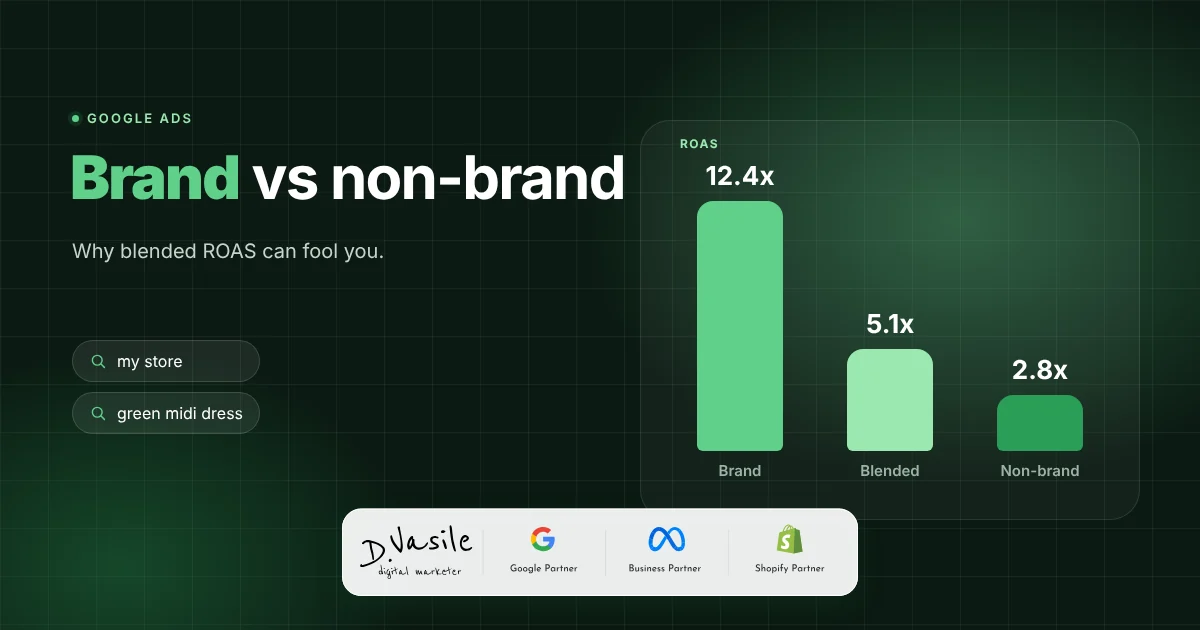
When a client tells me Google Ads brings a ROAS of 8, my first question is: how much of that comes from searches for the store's name? Most of the time, the answer changes the whole picture. People who already search for your brand would largely have found you anyway, and if you mix them with people searching for "black occasion dress", you no longer know what a new customer really costs. Below I show you why you separate brand from non-brand, how to do it in Search and in Performance Max, and how to read the results. 1. Why brand inflates ROAS A brand search comes from someone who already knows you: they saw an ad on Instagram, got a newsletter, bought once before or had the store recommended. The click is cheap, the conversion rate is high and ROAS looks spectacular. The problem is incrementality : how many of these sales would have happened anyway, through the organic result right below the ad? A simple example with round numbers, for one month: Type Cost Conversion value ROAS Brand 1,000 EUR 20,000 EUR 20 Non-brand 9,000 EUR 27,000 EUR 3 Total (blended) 10,000 EUR 47,000 EUR 4.7 A total ROAS of 4.7 looks healthy. But if your margin requires a ROAS of at least 3.5 to avoid losing money, the non-brand part, the one that brings new customers, is actually below the threshold. Without separation you don't see it and keep growing a budget that loses money. I explained how to calculate the threshold in the article on contribution margin vs ROAS . 2. How to separate brand in Search One Search campaign for brand only. Keywords with your store name and its variants: with and without special characters, written together and apart, and the common misspellings you see in the search terms. Negatives in non-brand campaigns. Add your brand name as a negative, ideally in a shared negative keyword list applied to all non-brand campaigns. Brand lists. In Google Ads you can create a brand list (in the Shared library) and use it with broad match Search campaigns: as an inclusion,…